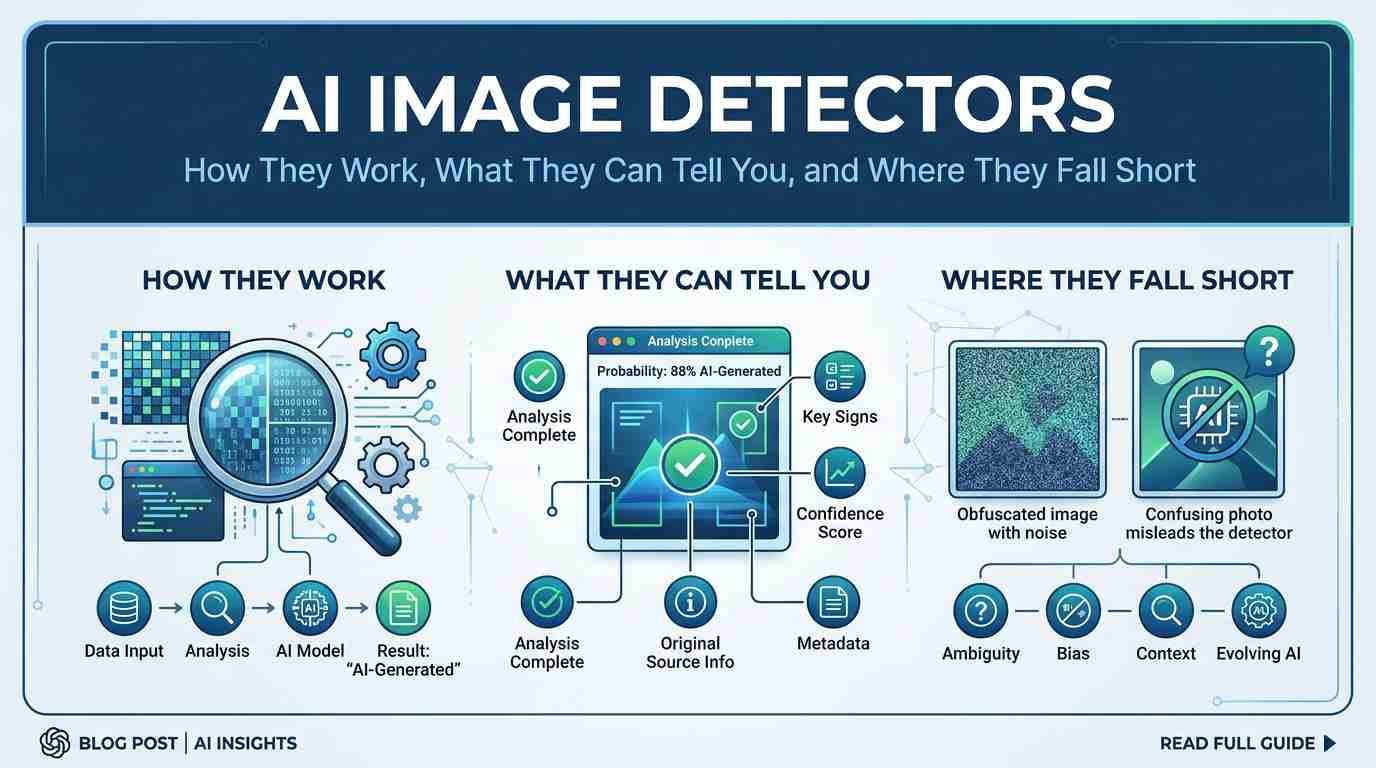
AI Image Detectors help you assess whether a striking or suspicious picture may have been generated or altered using artificial intelligence. These tools look for signals associated with AI-made content, but their results are clues—not guaranteed answers.
Because an AI image detector can misread an image, its score cannot prove how that image was created. Use the result as a starting point, then check the original source, surrounding context, and supporting evidence before reaching a conclusion.
What an AI image detector does
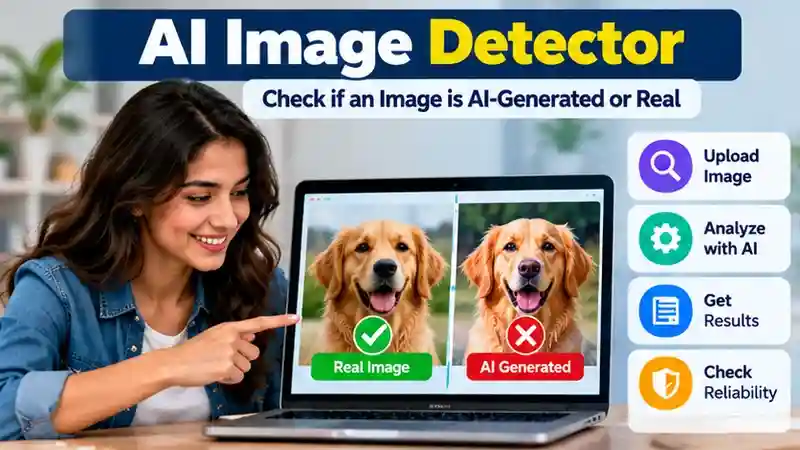
An AI image detector is a tool that assesses whether an image may have been generated or changed using artificial intelligence. Its purpose is to analyze the image for clues about how it was made—not to identify everything in the picture or tell you where it first appeared. What a detector checks depends on its design: some focus on AI-generated images, some on signs of manipulation, and others may assess both.
That makes it different from a reverse image search, which looks for matching or similar images elsewhere online. Image editing software is used to create or modify images, rather than judge their origin. Tools that recognize objects or faces answer another question: what, or who, appears in an image. These tools can be useful for different tasks, but their results do not establish whether AI was involved. A detector’s assessment is best understood as an estimate to consider alongside other information.
How AI image detection works
An AI image detector looks for features that may be associated with AI-generated content. Depending on the tool, it may analyze visual patterns in the image, such as textures, edges, or the way details appear together. Some tools may also consider other signals available in the file. The exact signals and methods vary, and a detector may not have access to the image’s full history or original source.

For a broader explanation of the models and software behind automated analysis, see our AI systems guide.
In plain terms, the system compares what it finds with patterns it has been designed or trained to recognize. It then estimates whether the image is more consistent with AI-generated content or with other images. That estimate is based on the tool’s own approach, not a direct record of how the image was made.
Detectors do not all work the same way, and their results can depend on the images and signals they can assess. A result generally should not be taken to mean that a tool has identified the exact AI system that created an image. It is an assessment of possible signs, not a definitive account of an image’s origin.
How to interpret a detector result
A detector may return a confidence score, a percentage, or a label such as “likely AI-generated.” Read it as that tool’s estimate based on the signals it can assess—not as a universal probability or proof of how the image was made. A high score does not confirm AI involvement, and a low score does not rule it out.
The meaning of a score depends on how the tool defines and presents it. A number from one detector may not be directly comparable with a number from another, and a label may not explain what evidence the tool found. Check whether the service describes its scoring system and limitations, and consider the image’s source, quality, and history before drawing a conclusion.
Another detector may reach a different assessment because tools can use different methods and respond to different signals. Disagreement is a reason to be cautious, not a cue to pick the result you prefer. Treat each output as one piece of information to weigh alongside context and corroborating evidence.
Why detectors can be wrong
An AI image detector can make two kinds of mistakes. A false positive is when it flags an image as AI-generated even though it was not. A false negative is when it misses AI-generated content and suggests the image may not be AI-made. Either result can happen, so a detector’s assessment is not proof.

For more context on how AI-generated material can be produced and evaluated, explore our ChatGPT for Writing guide and its advice on checking AI outputs.
Changes to an image may also complicate analysis. Editing, compression, resizing, or sharing a screenshot can affect the signals available to a tool. These changes do not always cause errors, but they may make an image harder for a detector to assess. An unusual visual style could also be misread, while a newer way of generating images may not match patterns a tool is designed to recognize.
The image’s history matters, too. A detector may assess only the file it receives, without knowing whether it has been altered or what happened before it was uploaded. A result that seems clear can still be mistaken, and different tools may respond differently to the same image. Use the assessment as a reason to investigate further, not as a verdict about the image or its creator.
How to check an image responsibly
A detector result is one part of checking an image. Use a few steps to assess it without jumping to conclusions:
Google explains how to investigate an image’s background using About this image, which can provide context beyond an AI detector’s score.
- Preserve the original file when possible. Save it as received before resizing, editing, or taking a screenshot; a changed copy may not retain the same information.
- Check the source and context. Find out who shared the image, when and where it appeared, and what claims accompany it. Consider whether the image fits that context.
- Look for corroboration. Seek other information that supports or challenges the image’s claimed origin or meaning. A detector cannot establish the file’s full history.
- Compare detector results cautiously. Different tools may assess different signals and use different scoring systems. Agreement does not guarantee a correct answer, and disagreement does not settle the question.
- Keep visual clues in perspective. Odd details may be worth examining, but they can have other explanations. Neither a visual irregularity nor one detector score is decisive evidence that AI was used.
When an image matters, weigh detector output alongside its source, context, and any corroborating information.
What to look for in an AI image detector
Choose a detector based on what you need to check, not just how confidently it presents a result. Before uploading an image, consider whether the tool’s approach and terms suit your task. Look for:
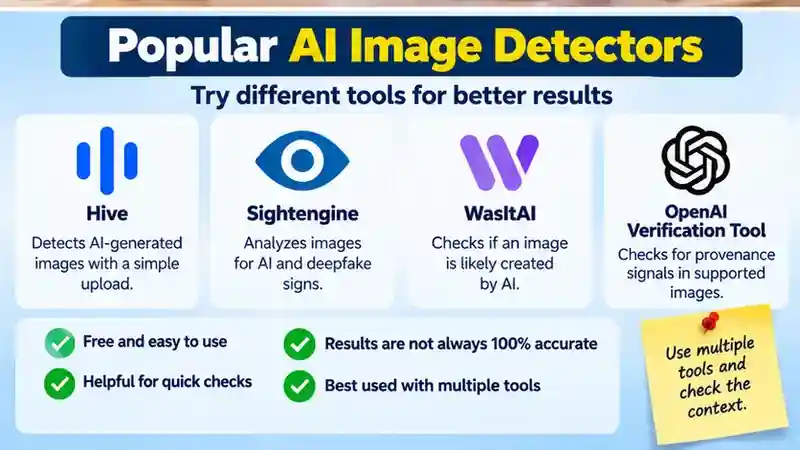
Another approach is to inspect provenance signals such as Content Credentials. The OpenAI verification tool checks supported files for signals associated with OpenAI tools, but cannot rule out images made with other systems.
- Clear explanations of what a result means and, where available, which signals informed it. A label without context is hard to interpret.
- Disclosed limitations, including what the tool can assess and where its results may be unreliable. No detector can establish an image’s full history.
- Suitable privacy practices. Find out whether uploaded images are stored, shared, or used for other purposes, especially if they are private or sensitive.
- Support for your image’s file type and size. If you have only a screenshot or edited copy, that may affect what the tool can assess.
- Usable reporting, with results you can understand and keep, including relevant explanations of scores or labels.
- A fit for your task. A tool focused on AI generation may not assess manipulation in the same way, so check that its stated purpose matches your question.
These checks can help you decide whether a detector is suitable as one input in a broader review.
Try an AI Image Detector: Want to check whether an image may have been generated by AI? You can explore the official Hive AI Detector website to learn about its AI-generated content detection tools. Remember that detector results are estimates, not proof, so always check an image’s source and context before drawing conclusions.
Privacy and high-stakes decisions
Before uploading an image, check the detector’s privacy terms. Find out whether the file may be stored, shared, or used for other purposes, and consider whether you have permission to submit it. This matters especially when an image is private, sensitive, or connected to someone else.
Do not use a detector result alone to make consequential judgments about a creator, journalist, or student, or to assess a piece of evidence. A mistaken result could unfairly call someone’s work or account into question. Even a clear-looking score cannot establish an image’s full history or prove who made it.
In high-stakes situations, seek corroboration and review the image’s source, context, and available history. Where appropriate, consult someone qualified to assess the material. If the evidence remains uncertain, say so rather than presenting a detector’s estimate as fact. The more a decision could affect someone’s reputation, education, work, or rights, the more important it is to rely on multiple relevant sources of information.
When an AI image detector is useful
An AI image detector can be useful for preliminary screening. It may prompt you to investigate a suspicious image more closely, alongside reviewing the image’s source, context, and other evidence. However, screening is not verification, and a detector score cannot establish who made an image.
If an image supports a consequential claim or decision, prioritize its provenance and seek direct confirmation. For complex or high-stakes cases, qualified expert review may be more appropriate. Use detection results to guide further questions, not settle them.
An AI image detector can help you decide what to investigate next, but it cannot confirm how an image was made. Check the image’s source and context, look for corroborating information, and treat detector results as estimates that may be wrong. If the image could affect someone or support a consequential claim, seek stronger evidence or qualified review. Use a detector as one tool in the process—not as a final verdict.
Frequently Asked Questions
1. What is an AI image detector?
An AI image detector is a tool that analyzes images for signs of artificial intelligence generation or manipulation. It provides an estimate rather than definitive proof of how an image was created.
2. How do AI image detectors work?
AI image detectors examine visual patterns, textures, image details, and sometimes file information to identify possible signs of AI-generated content. Detection methods and accuracy vary between tools.
3. Can AI image detectors accurately identify AI-generated images?
AI image detectors can identify certain patterns associated with AI-generated images, but they are not always accurate. False positives and false negatives can occur, especially with edited or compressed images.
4. What does an AI image detector confidence score mean?
A confidence score reflects the detector’s assessment of whether an image appears AI-generated. It does not necessarily represent the actual probability that AI created the image.
5. Can AI image detectors make mistakes?
Yes. AI image detectors may incorrectly flag authentic images as AI-generated or fail to recognize AI-created content. Image editing, compression, and unfamiliar generation techniques can affect results.
6. How can I check if an image is AI-generated?
Use an AI image detector as an initial screening tool, then examine the image’s source, context, and available history. Reverse image searches and reliable supporting evidence can help with verification.
7. Is it safe to upload private images to an AI image detector?
Safety depends on the provider’s privacy and data-handling policies. Before uploading private images, check whether files are stored, shared, or reused, and avoid submitting sensitive material without appropriate safeguards.
8. Can I trust AI image detectors for important decisions?
AI image detectors should not be the only evidence used for important decisions. When authenticity matters, review additional sources, investigate the image’s origin, and seek qualified assessment when appropriate.
Conclusion
An AI image detector can help users investigate whether an image may have been generated or modified using artificial intelligence. These tools examine visual patterns and other available signals to produce an assessment, often presented as a confidence score or classification label. However, detection results are not definitive proof of an image’s origin. Different tools may use different methods, and their assessments can vary depending on image quality, editing history, and the techniques used to create the content. Understanding these limitations is essential when evaluating suspicious images, especially those shared through social media, websites, or other digital platforms.
For more reliable image verification, combine AI image detection with source research, reverse image searches, contextual information, and corroborating evidence. Preserve the original image whenever possible, since compression, resizing, or editing may affect the signals available for analysis. Before uploading private or sensitive material, review the detector’s privacy policy and data-handling practices. Avoid relying on a single detection score when decisions could affect someone’s reputation, education, employment, or legal rights. Ultimately, AI image detectors are most useful as supporting tools within a broader verification process, helping users identify questions worth investigating rather than providing unquestionable answers about image authenticity.