“Producer AI” is a broad term for artificial intelligence tools used in music production. It can describe products that generate musical ideas, assist with editing, or support other parts of making a track. The phrase doesn’t point to one standard feature set, and different tools may serve very different purposes.
These tools can help with specific tasks, but they don’t make creative decisions for you. Whether one is useful depends on what you’re trying to do, how well it fits your workflow, and how you judge and revise its suggestions or output.
What producer AI can mean
Producer AI can refer to several kinds of tools, rather than one specific technology or feature. Some tools generate starting points such as melodies, rhythms, lyrics, or other musical material. Others help arrange or edit a track, for example by suggesting changes or supporting tasks such as trimming and organizing audio.
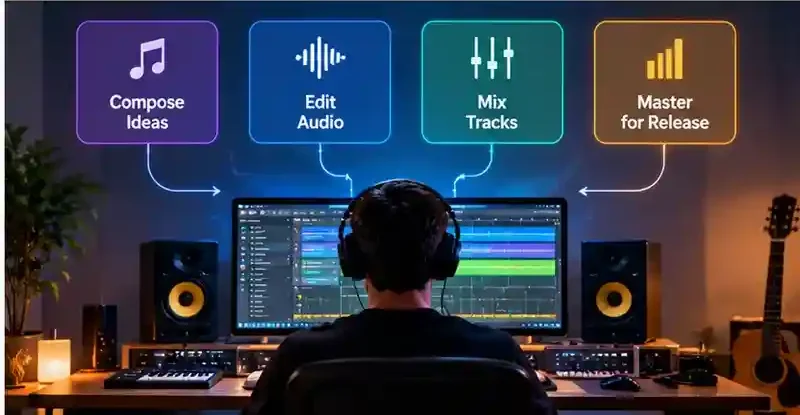
Audio-processing tools may transform or analyze recorded sound, while mixing assistants can offer suggestions about balance or effects. Mastering tools focus on preparing a finished mix for release, though the degree of automation and control varies. These functions are distinct: generating music creates material, while mixing and mastering work with audio that already exists.
A product may combine several of these functions, and providers do not always use category labels in the same way. To understand what a tool actually does, look beyond its name and check the specific tasks it supports.
AI-generated music is one example of creative work supported by artificial intelligence. For a look at similar technology used in visual content creation, read our guide to Best AI Image Generators.
How AI tools fit into music production
An AI tool usually supports a particular part of a producer’s existing workflow. Depending on the product, you might enter a text prompt, upload audio, provide MIDI, or share other project material. The tool may then return a musical idea, an edited or processed sound, or suggestions for a task such as mixing. You can review the result, make changes, and decide whether it belongs in the track.
There is no single setup that applies to every tool. Some work through a separate website or application, while others may connect with music-production software in specific ways. Don’t assume a tool will open your project or work inside your digital audio workstation (DAW), the software you use to record and produce music. Check its supported inputs and workflow before relying on it.
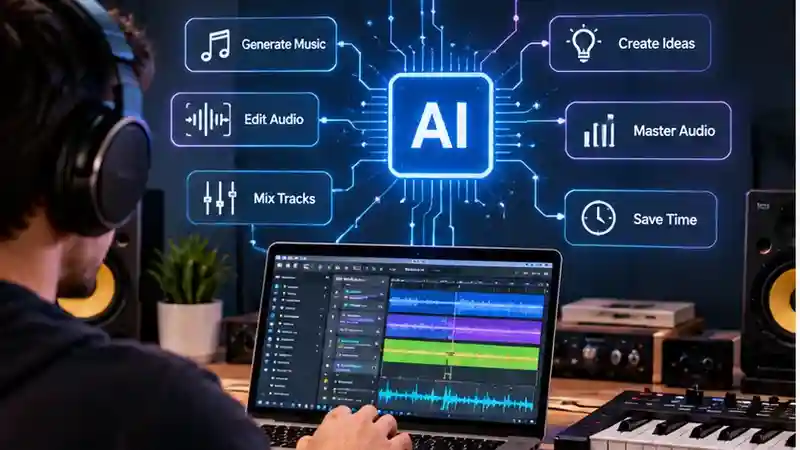
Types of AI Tools Used in Music Production
Producer AI tools can support different production tasks. Some generate musical material, while others help edit or process audio, mix tracks, or master a finished mix. These categories may overlap, and capabilities vary by service.
| Tool Category | Typical Function | Example Use | Important Limitation |
|---|---|---|---|
| AI music generators | Generate musical material from input such as a prompt | Explore a song or instrumental starting point | Results may not match your creative intent |
| Composition and melody assistants | Suggest melodies, chords, or rhythms | Develop a variation on an idea | Suggestions need musical review and editing |
| Audio editing and stem separation tools | Edit audio or separate parts of a recording | Isolate a vocal or instrument for editing | Available options vary by service |
| AI mixing assistants | Offer help balancing or processing tracks | Get a draft mix to review | Suggestions may not suit the track |
| AI mastering tools | Process a finished mix for mastering | Prepare a mix for final review | Mastering does not generate or arrange music |
Some products combine functions. Check what a service actually supports rather than relying on its label.
Common ways producers use AI
During a project, AI may help with specific tasks without taking over the production. If you’re stuck at a blank page, a generator or composition assistant could offer a starting idea to reshape. When a melody, rhythm, or arrangement is already in place, a tool might suggest variations to explore. Audio tools may also help create or edit sounds, or separate parts of a recording for further work.
Some producers may use AI to handle repetitive tasks or get an initial mix or master to review. These uses can save time or make it easier to try options, but results vary by tool and project. A generated idea may not suit the track, and a draft mix or master still needs careful listening. Treat outputs as material to assess and edit, not as finished decisions.
Examples of AI Music Production Tools
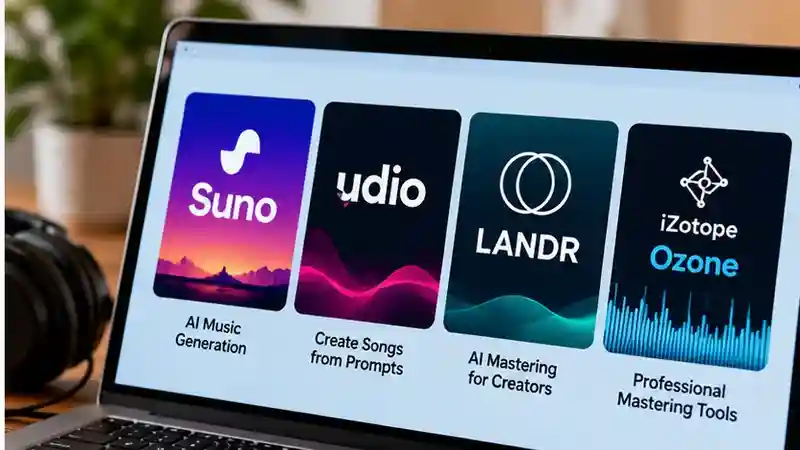
These tools serve different purposes: Suno and Udio are associated with music generation, while LANDR and iZotope Ozone are associated with mastering. Compare them based on the task you need help with, then check each provider’s current documentation and terms before use.
Suno
Suno is an AI music generation tool that can create songs from user prompts. It may help beginners explore musical ideas or make a starting point for a track without recording every part themselves. Before using generated material, review the tool’s current terms and controls, listen carefully for errors or unwanted elements, and consider how the result fits your project. AI-generated music is distinct from mastering an existing recording.
Udio
Udio is an AI music generation tool for creating music from text prompts. Producers may use it to experiment with song concepts, styles, or musical passages. Treat its output as generated material to review and edit, not as a finished production by default. Before relying on a track, check Udio’s current terms, inspect the audio for artifacts or inconsistencies, and confirm that its use suits your intended project.
LANDR
LANDR offers tools for music production, including AI-assisted mastering. Mastering works with an existing mix to prepare its overall sound; it is different from generating a new song. A producer may use mastering tools to explore a finishing pass, but should listen on different playback systems and compare the result with the original. Check the current service details, available settings, and terms before choosing how to use a mastered file.
iZotope Ozone
iZotope Ozone is an audio mastering toolset that may assist with processing a finished mix. Its purpose is to help shape and prepare existing audio, not to generate a complete song. Producers can use it as part of a mastering workflow, while retaining judgment over the final sound. Before using it, check the current product documentation and requirements, review any automated suggestions, and listen for changes that may not suit the track.
A practical workflow
Suppose a vocal is getting lost in a dense chorus. Start by defining the problem: you want to hear whether changing the vocal balance or processing could help. Choose a mixing assistant that supports the material you can provide, and check its input requirements before starting. Test it on a short section of the chorus rather than applying suggestions to the whole song.

Listen to the result against your original. Adjust or reject suggestions that change the vocal’s character or distract from the arrangement. Then check the edited section in the context of the full track: a change that seems helpful on its own may not work across the song. Keep the choices that serve your intent, and make the final quality check yourself. The tool can offer a starting point, but you decide what belongs in the mix.
What AI does well—and where it may fall short
AI tools may help you move through a production task faster or explore ideas you might not have tried on your own. For example, a suggestion or generated draft can give you something to react to when you feel stuck. That can be useful even if you change most of it.
But an output that sounds plausible may still feel generic or miss the track’s mood, structure, or purpose. Results can also vary, so a useful suggestion in one context may not work in another. And a draft mix or processed sound may need technical adjustments as well as artistic judgment.
Listen in the context of the full project, not just to an isolated result. Check whether the output supports your intent, and revise or discard it if it doesn’t. AI can offer options, but it cannot decide which choices make the track work.
For a broader explanation of how artificial intelligence works and why its outputs need human review, see our guide to AI Systems Explained: How They Work, Where They Help, and What to Watch For.
Copyright, consent, and data considerations
Before uploading audio, lyrics, MIDI, or other project material, review the tool’s terms and privacy policies. Don’t assume you know how your inputs may be used or what rights apply to generated outputs; check the details for the specific service.
Questions to investigate include:
- What rights do you retain in material you provide, and what permissions does the tool require?
- What terms apply to generated output, including any limits on commercial use?
- How is uploaded material stored, and can it be used to develop or improve the service?
- Can you remove your material, and what happens to it when you do?
These are issues to verify, not legal conclusions. If a track includes someone else’s performance or other material, consider whether you have consent to upload it.
How to evaluate a producer AI tool
Start with the production task you want help with, then check whether the tool fits your material and working style. Before relying on it, use this checklist:
Tasks and formats: What does it do, and which audio, MIDI, or other file formats can you provide?
Workflow fit: Can you use it with your current setup, or does it require a separate app or upload process?
Control: Can you adjust suggestions or results, or are your options limited?
Results: Test the tool on your own material. Does its output suit the track and give you something useful to work with?
Cost and limits: Check pricing, usage limits, and any restrictions that could affect your projects.
Privacy and exports: Review how the service handles uploaded material and what export options are available.
Read Also: AI Assistants: What They Can Do, How to Use Them, and What to Watch For
Try it on a representative project before building it into your workflow. A small test can reveal practical issues that a feature list may not show.
Who may benefit from producer AI
Beginners may find AI tools useful for exploring ideas or getting a first draft to work from, but they still need to listen, learn, and make choices that serve the music. Experienced producers may use them to test variations or speed up a particular task while keeping control of the creative direction. For people working with limited time or budget, a tool might help with a specific bottleneck, though its cost, limits, and results should be weighed against other options. Producer AI is not a substitute for musical judgment, and no producer needs to use it. Its value depends on whether it helps with a real need.
Making an informed choice
Start with a specific production problem, such as developing an idea or preparing a mix. Compare tools based on how well they address that task and fit your workflow. Before using one, check its practical requirements and the terms for uploaded material and generated output. Test it on your own project, then keep only what improves the work. AI is optional support, not a measure of musical quality; the final choice about what serves your track remains yours.
Frequently Asked Questions
1. What is Producer AI?
Producer AI refers to artificial intelligence tools used in music production. Depending on the software, they can help generate musical ideas, edit audio, or assist with mixing and mastering.
2. How does Producer AI work?
Producer AI tools process inputs such as text prompts, audio recordings, or MIDI files. They may generate music, suggest changes, or process existing audio, depending on their capabilities.
3. What can Producer AI be used for?
Producer AI can help with songwriting ideas, melodies, arrangements, audio editing, mixing, and mastering. Each tool supports different tasks, so check its features before use.
4. What are some examples of Producer AI tools?
Suno and Udio are examples of AI music generation tools, while LANDR and iZotope Ozone offer mastering-related capabilities. Their features and requirements differ.
5. Is Producer AI free to use?
Pricing depends on the specific tool. Some services may offer free access or trials, while others require subscriptions or payments. Check current pricing and usage limits.
6. Can I use Producer AI music commercially?
Commercial use depends on the tool’s licensing terms and applicable rights. Review the provider’s current conditions and confirm that you have permission to use any uploaded material.
7. Is Producer AI suitable for beginners?
Some Producer AI tools may help beginners explore musical ideas or create starting drafts. However, producing useful results still requires listening, editing, and creative decisions.
8. Can Producer AI replace a human music producer?
Producer AI can assist with specific production tasks, but it does not replace human creativity, musical judgment, or quality control. Producers remain responsible for reviewing and refining the final track.
Conclusion
Producer AI can support different stages of music production, from generating melodies and exploring song ideas to editing audio, mixing tracks, and preparing finished recordings. Tools such as Suno, Udio, LANDR, and iZotope Ozone illustrate how artificial intelligence can serve different creative and technical purposes. However, not every tool provides the same capabilities, and AI-generated results may require significant editing or adjustment. Before choosing a Producer AI tool, identify the production task you want to improve and check its supported formats, workflow compatibility, available controls, and pricing. A useful tool should complement your creative process rather than limit your ability to shape the music.
Copyright, licensing, privacy, and creative control are also important when using Producer AI. Review each provider’s terms before uploading recordings, lyrics, or other project materials, particularly when working with copyrighted content or planning commercial releases. Check how your information may be stored or used and whether restrictions apply to generated output. Start with a small project, compare AI-assisted results with your existing workflow, and evaluate sound quality, editing effort, and overall usefulness. AI can offer inspiration and help with certain technical tasks, but careful listening and artistic judgment remain essential. The best approach is to use Producer AI where it adds practical value while maintaining control over your final production.