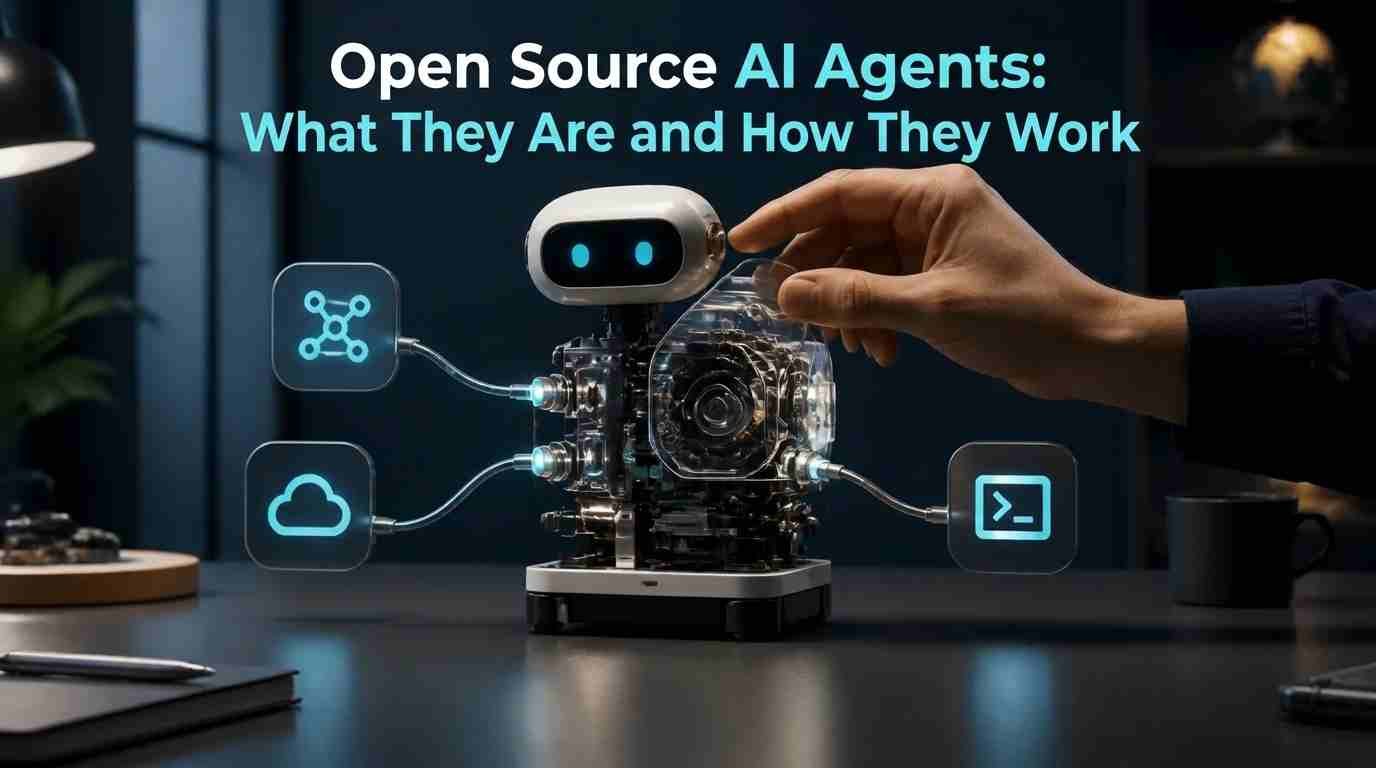
Open Source AI agents attract interest because they may do more than answer a question: some can take steps toward a goal, such as using tools or connecting with other software. Open source projects can also appeal to people who want to inspect or adapt parts of a system. But the label alone tells you little about how independently an agent acts, what information it handles, or which components are actually open.
This guide explains what Open Souce AI agents are and how they work, then offers practical ways to assess their usefulness, privacy, and risks. You’ll also learn what to check before trying one, without assuming that any agent is fully autonomous, safe, or fully open.
What Is an AI Agent?
An AI agent is software that uses an AI model to work toward a task. It can interpret an instruction, choose a next step, and use available tools—such as a search function or another connected program—to make progress. Depending on how it is built, it may check what happened after an action and decide whether to continue, try something else, or stop.

A chatbot mainly responds to prompts with text, while an agent may take actions as part of completing a task. For example, a chatbot might suggest how to organize information; an agent with suitable tools might gather or sort that information. The distinction is not always clear-cut: a chatbot can have tool access, and an agent may rely on conversation to guide its work.
“Agent” also does not mean fully independent. Some systems ask for approval before taking actions, follow a limited workflow, or need a person to review their results. What an agent can do depends on its model, software, tools, and permissions, so the label alone does not tell you how capable or autonomous it is.
For more background on the models, software, and tools behind these workflows, read our guide to how AI systems work.
What “Open Source” Means—and What It Doesn’t
“Open source” can describe different parts of an AI agent, not necessarily the entire system. The agent’s software code may be available to inspect or modify, while the model it uses may be distributed separately. In some projects, model weights—the files used to run a trained model—are available too. Data, setup instructions, and other documentation may or may not be included.
Before relying on the label, check which materials you can actually access and review the applicable license. A license sets the terms for using, changing, or sharing a project, and those terms can vary. Documentation can also help clarify how the agent is built and what it connects to, but its presence does not automatically make every part of the system transparent.
Open source alone does not guarantee unrestricted use, full visibility into how a system behaves, or privacy. An agent may still send information to an external model or service, depending on how it is configured. Look at the specific components and deployment choices rather than treating the label as a complete assurance.
Learn More About Open Source Licensing
If you want to understand what makes software open source, you can explore the Open Source Initiative, which provides the official Open Source Definition and explains the principles behind open-source licensing. This resource can help you understand why access to source code alone does not necessarily make a project open source and why reviewing license terms matters before using, modifying, or distributing AI agent software.
How Open Source AI Agents Work
Many agents follow a loop: they receive a goal, choose a next step, use a model or tool, then check the result. Depending on what happened, they may continue, try another step, or stop.

The model helps interpret instructions and suggest what to do next. Orchestration software—the part that coordinates the process—passes information between the model, tools, and the rest of the system. Tools might include a search function or a connected program. What an agent can access depends on which tools are available and what permissions it has.
For example, an agent asked to find information might use a search tool, examine what it returns, and decide whether it has enough to answer. The model does not necessarily perform every action itself; the surrounding software manages the steps and handles tool responses.
Implementations vary. Some agents follow a fixed sequence, while others select steps as they go. Some pause for human approval before an action or ask a person to review the result. That oversight can help keep a process under control, but it does not guarantee that the agent’s output or actions are correct.
Common Tasks and Use Cases
Open source AI agents may support different kinds of work, but a possible use is not proof that a particular agent can handle it well. Examples include research assistance, such as finding and organizing information; drafting or revising text; and coding support, such as suggesting changes to code. An agent may also connect to other software to move information through a workflow, if the required integrations and permissions are available.
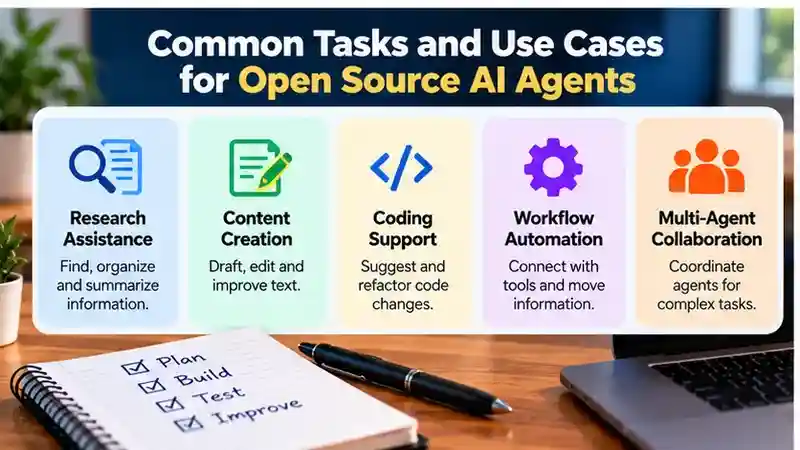
Results depend on the model, the tools it can use, its permissions, and the task itself. Check outputs before relying on them—for example, verify research, edit drafts, and review code changes. Treat these categories as possibilities to assess, not guarantees of performance.
For a less code-intensive approach, see our guide on how to build a useful AI agent without writing code, including what no-code tools can and cannot do.
Potential Advantages
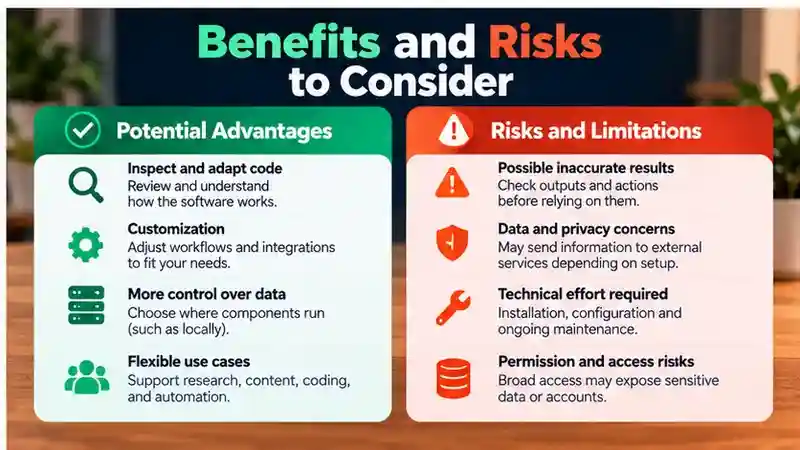
Some open source AI agents offer code that users can inspect, which may help technically capable readers understand how the software is built or identify how it handles particular tasks. But available code does not automatically make an agent easy to assess: the model, connected services, and deployment setup may also affect its behavior.
Customization is another possible benefit. Depending on the project and its license, you may be able to adapt workflows or integrations to suit a specific task. Doing so can require technical skills and ongoing maintenance, so it may not be practical for every user.
Some deployments also let users choose where parts of the system run, potentially giving them more control over data handling. That depends on which components are available and how they are configured; running software locally alone does not guarantee privacy or security. Consider these advantages in light of the project, license, deployment, and your ability to manage the setup.
If you are considering running AI tools on your own infrastructure, our self-hosted AI guide explains the hardware, privacy, and maintenance trade-offs involved.
Risks and Limitations to Understand
Some risks come from how agents behave. A model can produce incorrect information, and a sequence of individually reasonable steps can still lead to an unreliable result. Review outputs and actions, especially when mistakes could have consequences.
Other risks depend on how the agent is set up. Broad permissions may let it access more files, accounts, or tools than the task requires. Information sent to a model or connected service may expose sensitive data, depending on the deployment. Open source does not prevent these issues or guarantee that a system is secure.
For a broader overview of security risks in AI systems that use language models and tools, see the OWASP Top 10 for LLM Applications. Its guidance can inform your review of permissions, untrusted inputs, and data exposure without implying that any particular framework has these vulnerabilities.
The surrounding software matters too. Dependencies—the other software components an agent relies on—may need updates, and someone must maintain the setup over time. Installing and configuring an agent can also require technical effort. Before use, consider:
- What information and tools the agent can access, and whether those permissions can be limited.
- Where prompts and other data go, including whether external services are involved.
- Who will update the software and dependencies, and review the agent’s work.
These concerns vary by project and deployment. Inspectable code can help with review, but it does not remove the need to check permissions, data handling, and ongoing maintenance.
Examples of Open Source AI Agent Frameworks
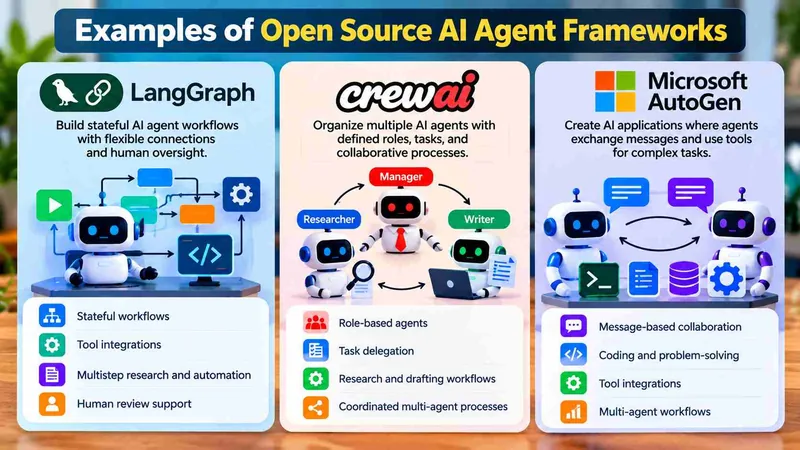
Frameworks for building open source AI agents differ in how they organize tasks, connect to models, and manage execution. LangGraph, CrewAI, and Microsoft AutoGen illustrate three approaches: stateful workflows, role-based collaboration, and agents that exchange messages.
LangGraph
LangGraph is a framework for building stateful agent workflows. Developers organize work into steps and connections while tracking information as execution progresses. Common uses include tool-using assistants, multistep research, and workflows that pause for human review.
Model connections can use LangChain integrations or custom code; compatibility depends on the integration and required capabilities, such as tool calling. Basic setup involves a compatible Python or JavaScript environment, the relevant packages, and access to a model. Provider credentials are needed when using a hosted model service.
Its flexibility requires developers to design workflow logic, state handling, and error recovery. Saving progress also requires appropriate storage configuration. Developers should review the framework’s documentation for installation requirements, integrations, and licensing information.
For further details, consult the official LangGraph documentation and GitHub repository license.
CrewAI
CrewAI organizes agents around roles, tasks, and coordinated processes. Typical applications include research and drafting workflows, task delegation, and processes where different agents handle separate responsibilities.
Model support depends on CrewAI’s provider integrations and configuration. Basic setup generally involves Python, CrewAI packages, model configuration, and credentials for any external services or tools. Developers should consult the current documentation to determine compatibility with their preferred models and deployment environment.
Developers must define responsibilities clearly and check intermediate outputs. Adding agents does not automatically improve accuracy; it can increase model calls, delays, and debugging work. Installation requirements, supported integrations, and licensing conditions should be reviewed before implementation.
For additional information, visit the official CrewAI documentation and GitHub repository license.
Microsoft AutoGen
Microsoft AutoGen is a framework for applications in which agents exchange messages and use tools. Use cases include collaborative problem-solving, coding assistance, and experimental multi-agent workflows.
Model access uses model-client integrations. Basic setup typically involves Python, the relevant AutoGen packages, and a configured model client. Supported providers and configuration requirements depend on the framework version and integrations being used.
Message exchanges need stopping conditions, error handling, and oversight. Workflows that execute generated code also need isolation and restricted permissions. Developers should review the framework’s current maintenance status, documentation, and licensing terms before choosing it for a new application.
For technical details, consult the Microsoft AutoGen documentation and GitHub repository license.
Framework Comparison
| Framework | Main Use Cases | Model Support | Setup Requirements | Limitations |
|---|---|---|---|---|
| LangGraph | Stateful workflows; human review | Integrations or custom model connections | Compatible runtime, packages, and model access | Workflow and storage complexity |
| CrewAI | Role-based task coordination | Provider integrations | Python, packages, and model configuration | Coordination overhead; variable outputs |
| Microsoft AutoGen | Message-based collaboration; coding | Model-client integrations | Python, packages, and configured model client | Execution risks; stopping controls needed |
These frameworks offer different approaches to building AI agents. LangGraph emphasizes stateful workflows, CrewAI focuses on coordinating agents around defined responsibilities, and Microsoft AutoGen provides tools for message-based agent interactions.
The right choice depends on the task, technical requirements, available integrations, and the level of control needed. Before selecting a framework, review its current documentation, licensing terms, maintenance activity, and security considerations.
How to Evaluate an Open Source AI Agent
Check the project itself rather than relying on an “open source” label or promotional claims. This checklist can help you decide whether an agent fits your task and whether you can manage its risks:
- Identify which components are available, such as the agent’s code, model weights, data, and documentation.
- Review the license to understand the terms for using, modifying, or sharing the components you need.
- Read the documentation, check the update history, and see how maintainers handle reported issues.
- Confirm which models the agent supports and whether its integrations work with the tools or services you need.
- Test it on a representative, low-stakes version of your intended task. Check the results, the steps it takes, and whether it asks for approval where appropriate.
- Assess privacy and security: find out what data may go to models or connected services, what permissions the agent needs, and whether you can limit access.
For help checking whether a project has reported security issues, consult GitHub’s security advisories documentation. It explains how security advisories are published and managed; also check the specific project’s repository and maintenance history.
Details and capabilities can change, so verify current information in the project’s documentation, license, and other materials before installing or relying on an agent. If important details are unclear, include that uncertainty in your decision.
Safer Ways to Try One
Start with a low-stakes task in a test environment, rather than giving an agent access to important work or accounts. Limit its permissions to what the task requires, and connect only the services you need. Avoid entering sensitive information, especially if you’re unsure where prompts or other data may go.
Review the agent’s proposed steps and outputs before approving actions or relying on results. Keep the agent’s software and dependencies maintained, and check for updates as part of managing your setup. Running an agent locally may give you more control over where some components operate, but local operation alone does not guarantee privacy or security. Your setup, connected tools, and data handling still matter.
Open source AI agents can offer flexibility and more control, but openness is only one part of deciding whether to use one. Match a tool to a specific task, check what it can access and where your data goes, and test its limits before trusting it with important work.
Frequently Asked Questions
1. What are open source AI agents?
Open source AI agents are AI-powered systems with software components released under open-source licenses. They can use models and connected tools to perform tasks, but not every component is necessarily open source.
2. How do open source AI agents work?
Open source AI agents use AI models, instructions, and available tools to work toward a goal. Depending on their configuration, they may select actions, evaluate results, and continue through multiple steps.
3. What are some examples of open source AI agent frameworks?
LangGraph, CrewAI, and Microsoft AutoGen are examples. LangGraph supports stateful workflows, CrewAI focuses on role-based agent coordination, and AutoGen supports message-based agent interactions.
4. Are open source AI agents free to use?
Some projects provide open-source software without licensing fees, but hosting, model APIs, infrastructure, and maintenance may involve costs. Review each project’s license and service requirements.
5. Do I need programming skills to use open source AI agents?
Technical requirements vary. Frameworks such as LangGraph, CrewAI, and Microsoft AutoGen generally require programming knowledge, model configuration, and integration setup.
6. Are open source AI agents safe and private?
Not automatically. Privacy and security depend on the deployment, connected services, permissions, and maintenance practices. Review data handling and limit unnecessary access before using an agent.
7. How do I choose the best open source AI agent?
Compare frameworks based on your tasks, supported models, integrations, licensing, documentation, maintenance, and security controls. Test suitable options using realistic, low-risk examples.
8. What are the limitations of open source AI agents?
Open source AI agents may generate inaccurate results, require complex setup, or take unexpected actions. They also need ongoing updates, monitoring, and appropriate human oversight.
Conclusion
Open source AI agents provide opportunities to develop and customize AI-powered workflows for research, coding, information management, and other multistep tasks. Frameworks such as LangGraph, CrewAI, and Microsoft AutoGen illustrate different approaches to agent development, including stateful workflows, role-based coordination, and message-based collaboration. However, open-source availability does not automatically guarantee reliable performance, complete transparency, or unrestricted use. Before selecting a framework, examine which components are actually open source, review their licensing terms, and confirm compatibility with your preferred models and integrations. The right choice depends on your technical requirements, intended tasks, available resources, and ability to configure and maintain the system.
Privacy, security, and reliability should remain central when evaluating open source AI agents. Review what information an agent can access, whether it communicates with external services, and how its permissions can be restricted. Consider the technical effort required for installation, testing, troubleshooting, and ongoing maintenance. Begin with a clearly defined, low-risk task and assess the agent’s responses, actions, and error-handling behavior before expanding its responsibilities. Important operations should include appropriate human review or approval, particularly when sensitive information or consequential actions are involved. By comparing current documentation, testing practical workflows, and understanding each framework’s limitations, you can make a more informed decision about using open source AI agents effectively.