Running AI on hardware you control can be appealing: you may have more say over where a model runs, which tools you use, and how you tailor it to a task. But self-hosting is not automatically more private, cheaper, or easier than using a hosted AI service. Those benefits depend on the model, software, hardware, network settings, and any connected services involved.
For some people, managing an AI setup is worthwhile for the control it offers. For others, the installation and upkeep outweigh the advantages. Understanding what self-hosting involves can help you decide whether it fits your needs.
What self-hosted AI means
Self-hosted AI means you run an AI model using hardware or infrastructure that you manage, rather than sending prompts to a provider’s system to process. “Locally” usually means the model runs on your own computer. Self-hosting can also mean running it on a server you manage, which may be located elsewhere.
With a hosted AI service, the provider manages the infrastructure and makes the model available through an app or other interface. With self-hosting, you take on more responsibility for running the system, though the exact setup can vary. The term describes who manages the infrastructure; it does not, by itself, guarantee that your data stays private or that the system is easy to maintain.
Why people consider it—and what they give up
Self-hosting can give you more control over where a model runs, which model you use, and how you connect it to other tools. That flexibility may be useful if you want to tailor an AI setup to a particular task or manage the system yourself. It can also make experimentation easier: you can change models or settings without relying entirely on a provider’s interface.
If you’re interested in building more customizable AI workflows, our guide to Open Source AI Agents explains how these systems work and what to consider before using them.
That control comes with work. You may need to install software, resolve compatibility issues, monitor updates, and troubleshoot problems. Performance depends on the hardware, model, and task; a setup that works well for one use may feel slow or produce less useful results for another. Support may also be less direct than with a hosted service.
Privacy and cost depend on the details. Keeping a model on your own hardware may limit what you send to an AI provider, but connected tools and network settings still matter. And hardware, electricity, and maintenance can add costs. Self-hosting is most appealing when its added control is worth that effort to you.
What you need to run it
A self-hosted AI setup has three basic parts: hardware to run the model, the model itself, and software to install it or interact with it. The right choices depend on what you want the system to do and how often you plan to use it.
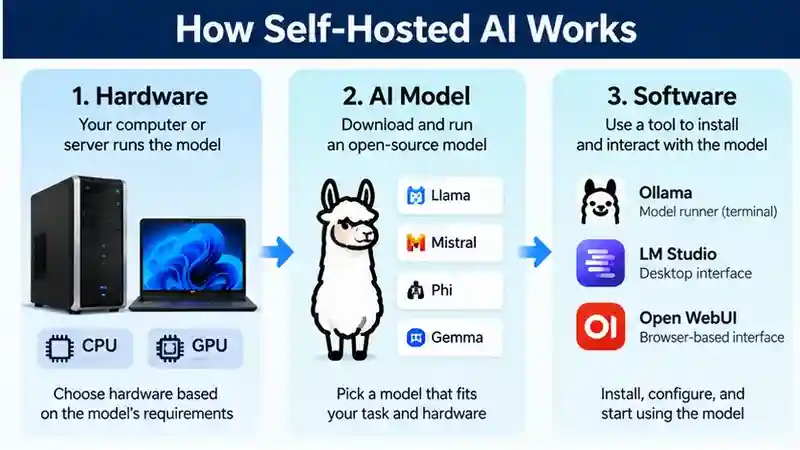
Hardware might be a personal computer or a server you manage. Some models and workloads need more computing capacity than others, so a device that handles simple experiments may not be suitable for larger models or frequent use. Check the model’s current requirements against your hardware before choosing a setup.
The model is the AI system that processes your prompts. The software provides a way to run that model and send it requests, whether through a graphical interface or another tool. Some software supports only particular models or hardware, so compatibility matters. You may also need to consider how easy the software is to use and maintain. Starting with a specific task—such as drafting or answering questions about your own materials—can help you choose components that fit, rather than buying or installing more than you need.
Read Also: AI Systems Explained: How They Work, Where They Help, and What to Watch For
Three Practical Self-Hosted AI Tools
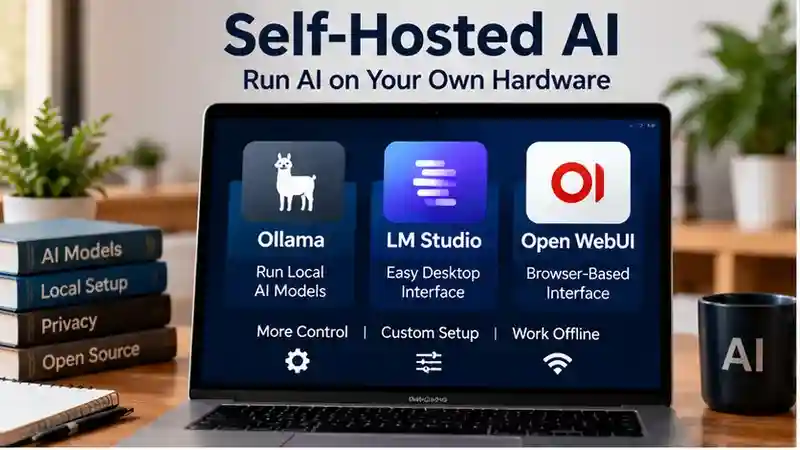
Self-hosted AI software can run a model, provide a chat interface, or connect several components. These three tools fill different roles.
Ollama: A Local Model Runner
Ollama lets you download and run supported AI models on your own computer. It suits people comfortable with basic terminal commands and can provide a local backend for other applications.
Setup involves installing Ollama, selecting a model, and downloading its files. Start with a smaller model rather than assuming your computer can handle the largest option.
Limitations: Speed and model compatibility depend on your hardware and software environment. Ollama does not make every model practical to run locally, and connecting additional applications can introduce separate privacy and configuration concerns.
LM Studio: A Desktop Interface
LM Studio provides a graphical interface for finding, downloading, and chatting with compatible local models. It is an option for beginners who prefer menus to terminal commands.
Setup generally involves installing the application, choosing a compatible model, and loading it into memory. Downloading models requires internet access; local inference can work offline once the necessary files are available.
Limitations: Not every model format or hardware configuration is supported. Larger models and longer conversations can increase memory demands. Local operation also does not guarantee accurate answers.
Open WebUI: A Browser-Based Front End
Open WebUI provides a browser-based chat interface that can connect to a model backend, such as Ollama. It is not itself the underlying AI model.
Setup requires deploying the application, connecting a backend, and configuring access. Container-based installation may require learning additional software concepts.
Limitations: You maintain another application alongside the model runner. If you expose it beyond your computer, authentication, network security, and updates become especially important. Connecting it to a cloud service means those requests are not fully local.
Hardware Requirements, Explained Simply
- CPU: Your computer’s general-purpose processor. It handles application tasks and can run inference in supported configurations, although responses may be slower than with suitable GPU acceleration.
- RAM: Working memory used while programs run. Model size, conversation length, and other open applications affect how much you need.
- GPU: A processor that can accelerate AI workloads when supported. Its dedicated memory, where available, can limit how much of a model it can hold.
- Storage: Space for applications and downloaded model files. Keeping multiple models requires additional capacity.
Check both the software’s requirements and the selected model’s guidance before downloading.
Self-Hosted AI vs. Cloud AI
| Factor | Self-Hosted AI | Cloud AI |
|---|---|---|
| Privacy | Local processing offers more control; integrations can send data elsewhere. | Data handling depends on provider terms and settings. |
| Cost | Hardware, electricity, and time. | Subscription or usage fees may apply. |
| Setup | Installation and configuration required. | Usually easier to start. |
| Performance | Limited by local hardware and model choice. | Depends on service capacity, model, and connection. |
| Maintenance | You manage updates and security. | Provider maintains infrastructure. |
Official Documentation
For the latest installation instructions, supported platforms, and compatibility details, consult each tool’s official documentation.
Choosing a model and interface
Start with the job you want the model to do. A model that suits drafting may not be the best choice for coding, summarizing, or working with your own materials. Think about the quality you need, then check whether the model can run on your hardware and handle your expected workload.
The interface matters too. Look for software that supports your chosen model and device, feels manageable to use, and has documentation that can help you install it and troubleshoot issues. Before choosing, review the model’s current license and terms, along with the software’s requirements and documentation. These can affect how you may use the model and what your setup needs.
Before downloading a model, review its documentation and license. Hugging Face Model Cards explain how model developers can document intended uses, limitations, evaluation results, and licensing information. These details can help you assess whether a model suits your project.
If your goal is to create an AI workflow without writing code, you can also explore our guide to Building an AI Agent Without Coding. Keep in mind that no-code tools and self-hosted systems have different setup and maintenance requirements.
A practical choice is one you can run, understand, and test for your intended tasks—not simply the one with the most features. If possible, try it with low-risk examples before relying on it for important work.
A sensible first setup
A small, clearly defined trial can help you learn whether self-hosting suits you before you commit to a larger setup. Work through the steps in order, and check the current requirements for any model or software you consider.
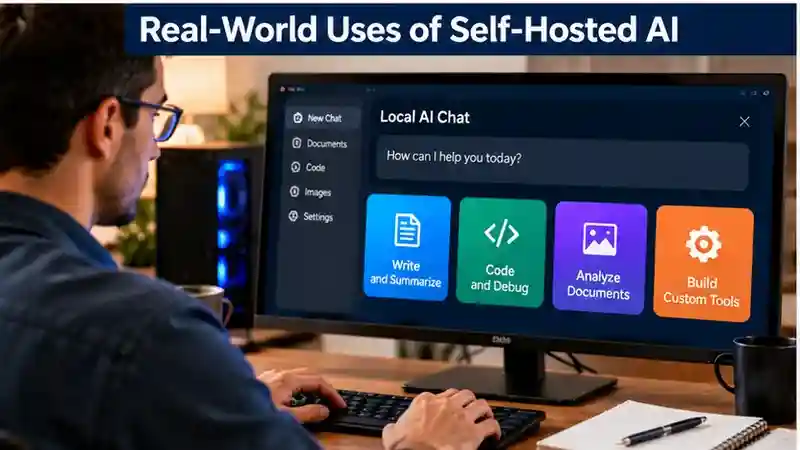
- Choose a use case. Decide what you want AI to help with, such as drafting, summarizing, or answering questions about materials you provide. A specific task gives you a practical way to judge the results.
- Check your hardware. Compare your computer or managed server with the model’s current requirements. Consider how often you will use it and whether your device can handle the expected workload.
- Choose compatible tools. Select software that works with your hardware and chosen model. Review documentation, usability, and the model’s current license and terms before proceeding.
- Install from trusted sources. Follow the software’s documentation and obtain the software and model files from sources you can verify. Avoid adding tools or connections you do not need for your trial.
- Test and adjust. Begin with low-risk prompts that do not contain sensitive information. Compare the answers with what you need, then adjust settings or try another compatible model if the results fall short.
Keep the first setup simple. You can expand it later if it performs well for your actual tasks and you are comfortable maintaining it.
Privacy and security boundaries
Running a model on hardware you control can reduce the need to send prompts to an AI provider, but it does not guarantee privacy or security. What stays on your computer or server depends on how the system is configured and used. If the model runs on a server you manage, consider who can access that server and how it is protected.
Use access controls to limit who can reach the system, keep its software updated, and check whether it is exposed to your network or the wider internet. Think about what data you enter and where model files, prompts, and outputs are stored. Local inference—the processing of a prompt by a model on your hardware—does not prevent information from leaving if an integration, connected service, or poorly configured tool sends it elsewhere.
For additional guidance on protecting a computer and home network, see the CIS Telework Security Guide. It covers practical security measures such as router configuration, access controls, software updates, and network protection. These precautions are useful when managing a self-hosted system.
Before using sensitive information, review the software’s settings and connections, and test the setup with low-risk prompts. Self-hosting can give you more control over data handling, but that control also means taking responsibility for the system’s security.
Costs, upkeep, and performance
Self-hosting costs more than the model alone. You may need to buy or rent suitable hardware, and running your own equipment can also use electricity. Factor in the time required to install software, troubleshoot issues, and apply updates. If you use a server, consider its ongoing hosting costs and maintenance as well.
Performance depends on your hardware, model, and workload. A setup may respond quickly enough for occasional tasks but feel slow under heavier use, or produce results that fall short of what you need. Hosted services can be more convenient because the provider manages the infrastructure, but their pricing and features vary.
Compare the full costs and results for how you actually plan to use AI. If you already have suitable hardware and are comfortable maintaining it, self-hosting may make sense. If you value minimal setup and upkeep, a hosted service may be the more practical choice.
Common limitations to expect
A self-hosted model may produce weaker results than you need for certain tasks, and its speed and capacity depend on your hardware and chosen model. You may also encounter limits on how much information it can handle at once. Software and hardware do not always work together smoothly, so installation or updates can require troubleshooting.
Test the setup with the tasks you actually plan to do before relying on it. Check whether the answers are useful, whether response times are acceptable, and whether it can handle the materials you expect to provide. If it falls short, try adjusting settings or consider whether another model—or a hosted service—better fits your needs.
Who should consider self-hosting?
Self-hosting may suit you if you value control over which model you use, want to customize your setup, and are comfortable installing software and handling updates or troubleshooting. It can also be worth exploring if you have suitable hardware and a specific task you can test before relying on it.
A hosted service may be more practical if you want to start quickly, prefer less maintenance, or need results that your self-hosted setup does not provide. The better choice depends on what you want AI to do, how much control matters to you, and how much time you are willing to spend managing the system.
A decision checklist
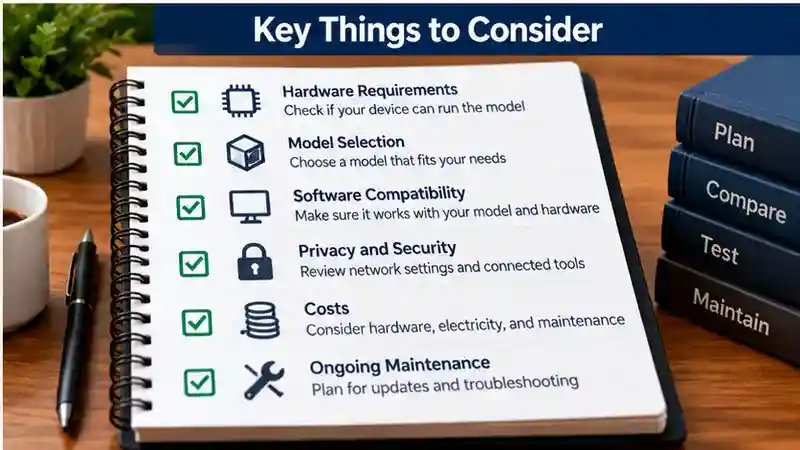
- What tasks do you need AI to handle, and how will you judge the results?
- What data will you use, and where will it go?
- Do you have hardware that meets the model’s requirements?
- How much setup, maintenance, and troubleshooting are you willing to take on?
Frequently Asked Questions
1. What is self-hosted AI?
Self-hosted AI means running an AI model on your own computer or managed server instead of relying entirely on a cloud provider. It offers greater control over configuration and infrastructure.
2. How does self-hosted AI work?
Self-hosted AI uses compatible software to run an AI model on hardware you manage. The model processes prompts using available computing resources, such as CPU, RAM, and GPU capacity.
3. What are the best tools for self-hosted AI?
Ollama, LM Studio, and Open WebUI are popular options. Ollama runs supported models, LM Studio offers a desktop interface, and Open WebUI provides a browser-based chat interface.
4. Do I need a powerful computer for self-hosted AI?
Hardware requirements depend on the model and workload. Smaller models may run on modest computers, while larger models often require more RAM, processing power, and GPU memory.
5. Is self-hosted AI free to use?
Some AI models and software are available without purchase fees. However, hardware, electricity, server hosting, storage, and maintenance can create additional costs.
6. Is self-hosted AI more private than cloud AI?
Self-hosted AI can provide greater control over data processing, but privacy is not guaranteed. Connected cloud services, network settings, and stored information may still introduce risks.
7. Can self-hosted AI work without internet access?
Some self-hosted models can process prompts offline after installation and downloading the required files. However, updates, downloads, and connected cloud features may require internet access.
8. Is self-hosted AI better than cloud AI?
Neither option is universally better. Self-hosted AI offers more infrastructure control, while cloud AI often requires less setup and maintenance. The right choice depends on your hardware, budget, privacy needs, and tasks.
Conclusion
Self-hosted AI allows individuals and organizations to run artificial intelligence models on computers or servers they manage, offering greater flexibility over model selection, configuration, and infrastructure. Tools such as Ollama, LM Studio, and Open WebUI provide different ways to build and interact with local AI systems. However, self-hosting is not automatically more private, affordable, or powerful than cloud-based AI services. Its usefulness depends on the selected model, available hardware, technical experience, and intended workload. Before getting started, compare software compatibility, hardware requirements, licensing terms, and the effort needed for installation and maintenance. A suitable setup should meet your practical needs without creating unnecessary complexity or expense.
Privacy, security, performance, and ongoing costs are important considerations when evaluating self-hosted AI. Although local processing can reduce reliance on external AI providers, connected applications and network configurations may still expose information. Keep software updated, restrict unnecessary access, and review how data is stored or transmitted. Also consider equipment costs, electricity, storage, and troubleshooting time when comparing self-hosting with cloud services. Begin with a small, low-risk project using a compatible model and trusted software, then assess response quality, speed, and ease of maintenance. If the additional control justifies the required resources and responsibilities, self-hosted AI may be a practical option for your workflow.